
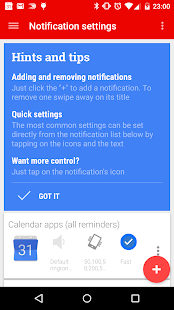
Light Flow
Es gibt ausserdem einen Sleep-Modus und einen "Lädt auf"-Modus, in dem die blinkenden LEDs und/oder Sounds und Vibrationen unterdrückt werden können.
Wenn Du von einem Blackberry kommst und die Features von BeBuzz oder BerryBuzz vermisst, versuch es mit LightFlow!Diese App erlaubt Dir, verschiedenfarbig blinkende Benachtichtigungen für über 600 Apps und Systemereignisse einzurichten:* Verpasste Anrufe* Voice mail* Kalendererinnerungen * Gmail* E-Mail* SMS-Nachrichten* MMS-Nachrichten* niedriger Akkuladestand* Kein Empfang* Google Talk* Facebook* Twitter...und viele weiterevollständige Auflistung der unterstützten Anwendungen auf unserer Website:http://www.folioflow.com/ff/page/website/lightflow/pageId/1687Die verschiedenfarbigen Benachrichtigungen blinken in Reihe, wenn Du also einen neue SMS und einen verpassten Anruf hast, werden die entsprechend zugeordneten Farben nacheinander blinken.
Du kannst auch festlegen, welche Benachrichtigungsart die höchste Priorität hat und dann nur diese Farbe blinken lassen.Es wird sogar Benachrichtigungen auf Deine Pebble smwart watch und die DashClock-Sperrbildschirmerweiterung schicken.
Vollständiges Changelog hier:https://www.folioflow.com/ff/page/website/lightflow/pageId/1693Für eine vollständige Liste der angeforderten Berechtigungen (und warum sie benötigt werden) hier nachlesen:http://www.folioflow.com/ff/page/website/lightflow/pageId/2277Bekannte Probleme/Einschränkungen
Nicht alle Telefone unterstützen alle Farben.
Die meisten HTC TElefone unterstützen beispielsweise nur 3 Farben, erfordern rooten und das Ausführen der App im "Direkt-Modus"Einige Handys können die Benachrichtigungen nur bei ausgeschaltetem Display anzeigen.
Bei einigen Handys ist kein Dauerleuchten der Benachrichtigungs-LED möglich.Bei anderen Geräten kann die LED nicht blinken und wird dauerleuchten.Beachte, dass LigthFlow volle Kontrolle über die Benachrichtigungs-LED übernimmt.
Du wirst nur die Benachrichtigungen erhalten, die in der App eingerichtet sind.
Wir empfehlen, zunächst die Lite-Version auszuprobieren, bevor Du Geld für die Vollversion ausgibst um festzustellen, dass es mit Deinem Gerät Probleme gibt.
Einige Handys erfordern Root-Rechte auf die LEDs.
Die Unterschiede zwischen dieser Version und der Lite-Version findest Du hier: http://www.folioflow.com/ff/page/website/lightflow/pageId/1687?
Wenn es nach einen Update Probleme gibt, empfehlen wir einen Neustart des Telefons.** Die meisten HTC-Geräte erfordern die "Direktmodus" Einstellung.
Die meisten HTC-Geräte mit Gingerbread-Android (2.3x) benötigen Root-Zugriff, da HTC die Berechtigungen für die Kontrolldateien der LEDs verändert hat.Bei einem Upgrade von der Lite-Version bitte zuerst diese deinstallieren.
Die Einstellungen können vorher gesichert und in der Vollversion wiederhergestellt werden.
About Light Flow
- Package name (App ID)
- com.rageconsulting.android.lightflow
- Available on
- Google Play
- Price
- $2.49
- Developer
- Reactle
Looking for the Light Flow APK?
The safest way to get Light Flow (com.rageconsulting.android.lightflow) on your Android device is to install it directly from Google Play — you'll always get the latest official version, automatic updates, and no risk of modified or infected APK files from third-party sites.

Music Features
Enjoy high-quality music streaming and playback features.
Social Features
Connect and share with friends and the community.
Gaming Features
Enjoy immersive gaming experience with various game modes.
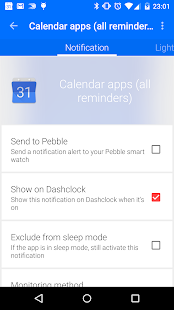
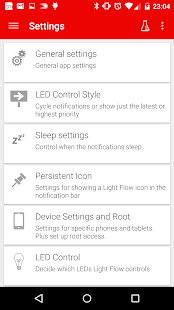
Light Flow in Aktion sehen
Was unsere Nutzer sagen
Verlassen Sie sich nicht nur auf unser Wort. Hier ist, was unsere Nutzer ueber diese Android-App sagen.
"Gd"
"Not working on my Sony Xperia 1 with GSI A12 and root 🥰"
"Hate the persistent notification"
"Abandoned app"
"This app is simply amazing. It does what it says with incredible efficiency. I've had a lot of full featured apps and background services just clog my phone all up, but Lightflow runs very smoothly."
"Crashes with the latest update when you swipe active notifications"
"Not fully working with Pixel 6 Pro."
"I installed this on by BLACKBERRY KEY2 (from 2018 and also running ANDRIOD 8.1 in 2022) as soon as I found out the generic ringtones and sounds included w/ the device and software were not individually selectable per application, notification or contact. LIGHTFLOW PRO easilly allowed me to do so and just the little things, as the few elaborated about above makes the smartphone experience much more pleasurable! I would highly recommend LIGHTFLOW PRO!"
"The app claimed it could silence certain notifications and it did not work"
"great app, works great on the sony xperia 10 iii, did had a worry i wasn't going to find any app that would work the previous one i used which was the LED Blinker which didn't work properly, wasn't sure Light Flow was going to work as i tried this on my previous phone sony xperia Z5 android nougat, so i had to replace it with the LED blinker, but strangley it does work! i have always liked this app over LED blinker, im so glad i can use Light Flow again"
Frequently Asked Questions
Is Light Flow free?
Light Flow is a paid app — it costs $2.49 on Google Play. You pay once through your Google account and can install it on your Android devices.
How do I install Light Flow on Android?
Open Google Play on your Android phone or tablet, search for Light Flow by Reactle or tap the Google Play button on this page, then tap Install. The app downloads and installs automatically.
What is com.rageconsulting.android.lightflow?
com.rageconsulting.android.lightflow is the App ID (package name) of Light Flow on Google Play. Every Android app has a unique package name, and it is the safest way to verify you are installing the official app.
Is Light Flow safe to download?
Installing Light Flow from Google Play is the safest option: you get the official version published by Reactle, verified by Google Play Protect, with automatic updates. Avoid APK files from unofficial third-party sites.

Get Light Flow Today
Light Flow for Android — $2.49 on Google Play.
Compatible with Android phones and tablets — available on Google Play.
Frag die KI zu dieser App
Erhalte sofortige Antworten zu Funktionen, Tipps und mehr.